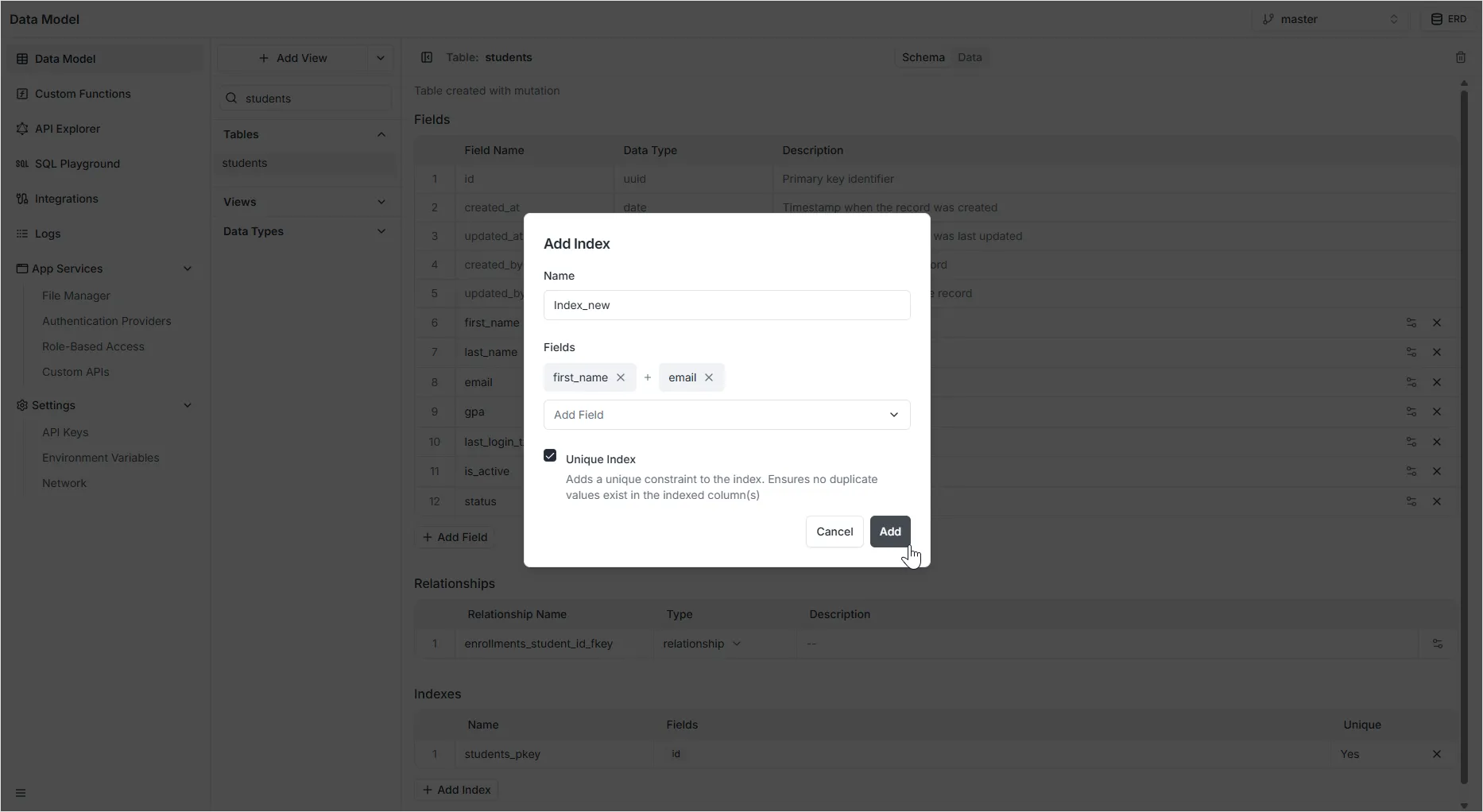
Table Indexes
Data retrieval performance can be improved by adding one or more indexes to your tables. Indexes are used to find rows with specific column values quickly. Without an index, the search must begin with the first row and then read through the entire table to find relevant rows.
Unique Indexes
Section titled “Unique Indexes”A unique indexes only contains rows that are unique. This means that the same row cannot have identical non-NULL values for all columns in this index as another row. This allows you to quickly reach certain record ranges. Unique indexes can also be used to enforce restraints on data, because Archie Core will not allow you to create duplicate values when you insert or update data.
Creating an Index
Section titled “Creating an Index”To create an index:
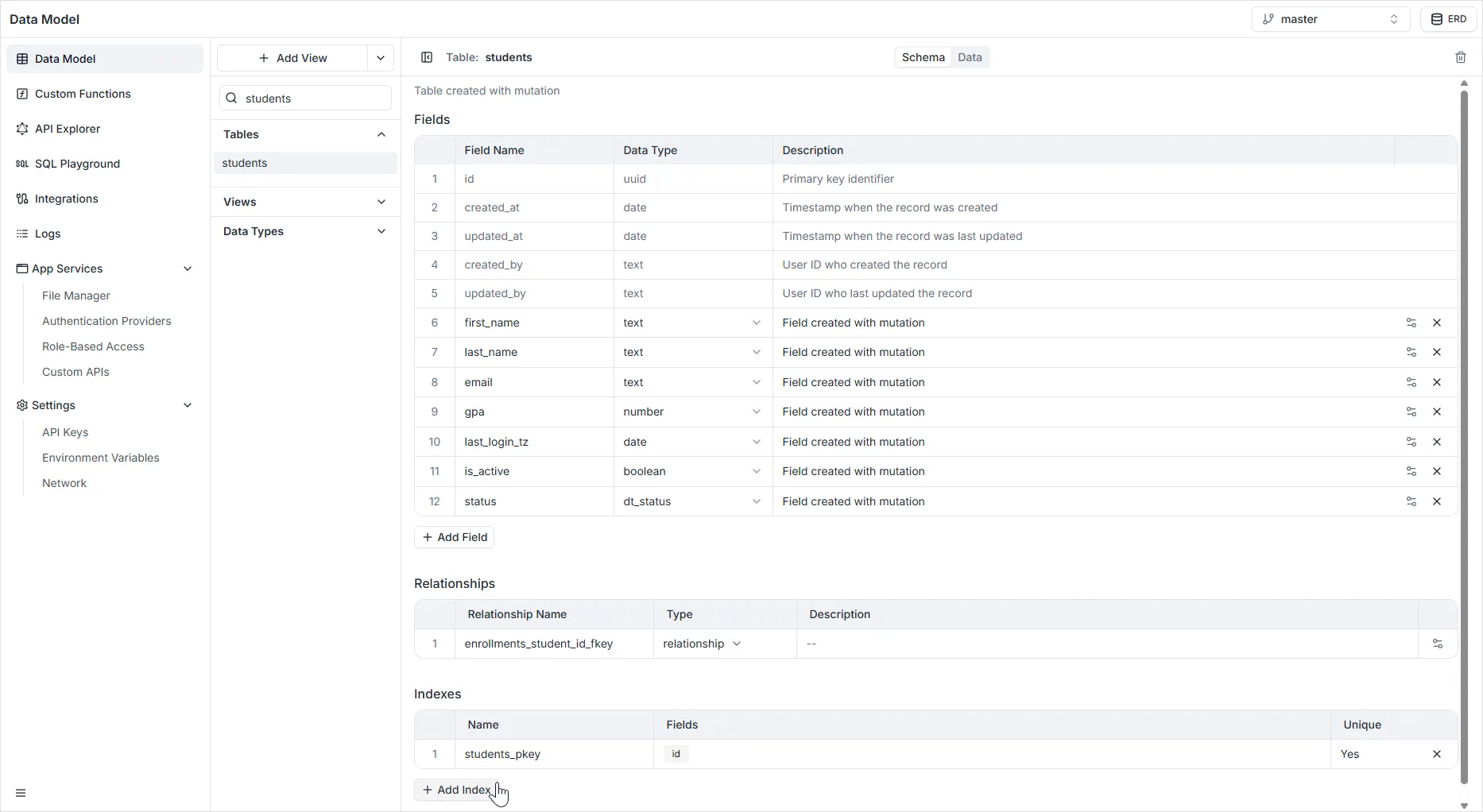
- Select the table where you want to create an Index.
- Click the icon Table Settings.
- Click Add Index
- Select one or several fields from which the index will be generated. You can choose whether or not it will be a unique index. Index names cannot contain spaces.
- When you are done, click Add.