Data Viewer
The Archie Core Data Viewer lets you search and manage table records. You can sort, filter, and search your tables. You can also edit table rows and import data from CSV files.
To open the Data Viewer, click Data in the sidebar, select the table you want to work on, and then click the Data tab.
Adding Records
Section titled “Adding Records”To create a new table record:
- Click the Add row button.
- A form will appear that displays all table fields.
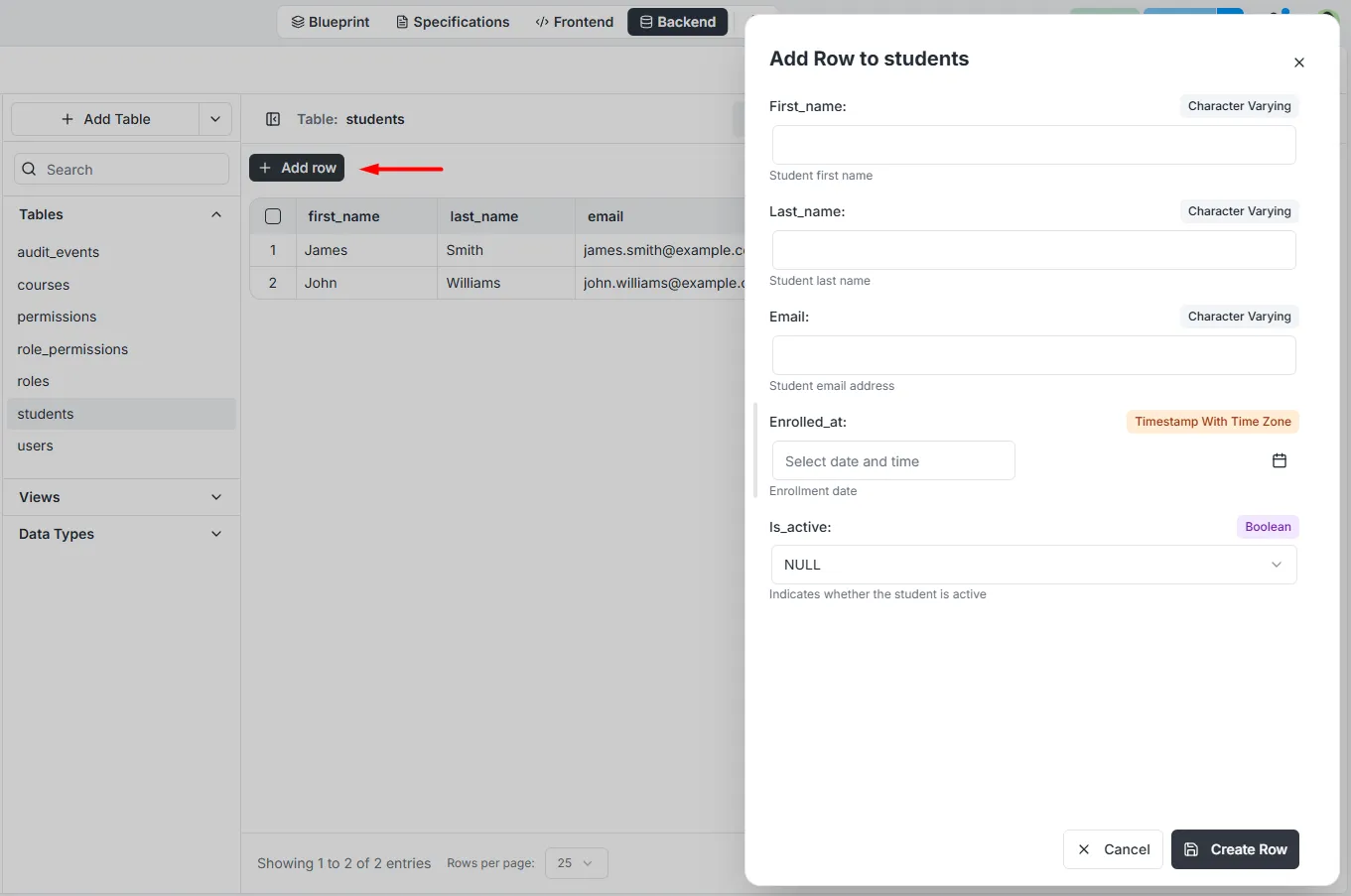 3. Fill in the fields and click Add Row.
Note: All validations specified in the schema definition are enforced while using the Data Viewer. For example, if you have set a field to always have unique values, you will see a warning if you try to create or edit a record where this field has a duplicate value.
Editing Records
Section titled “Editing Records”To edit records:
- Click the record.
- A form will appear that displays all table fields.
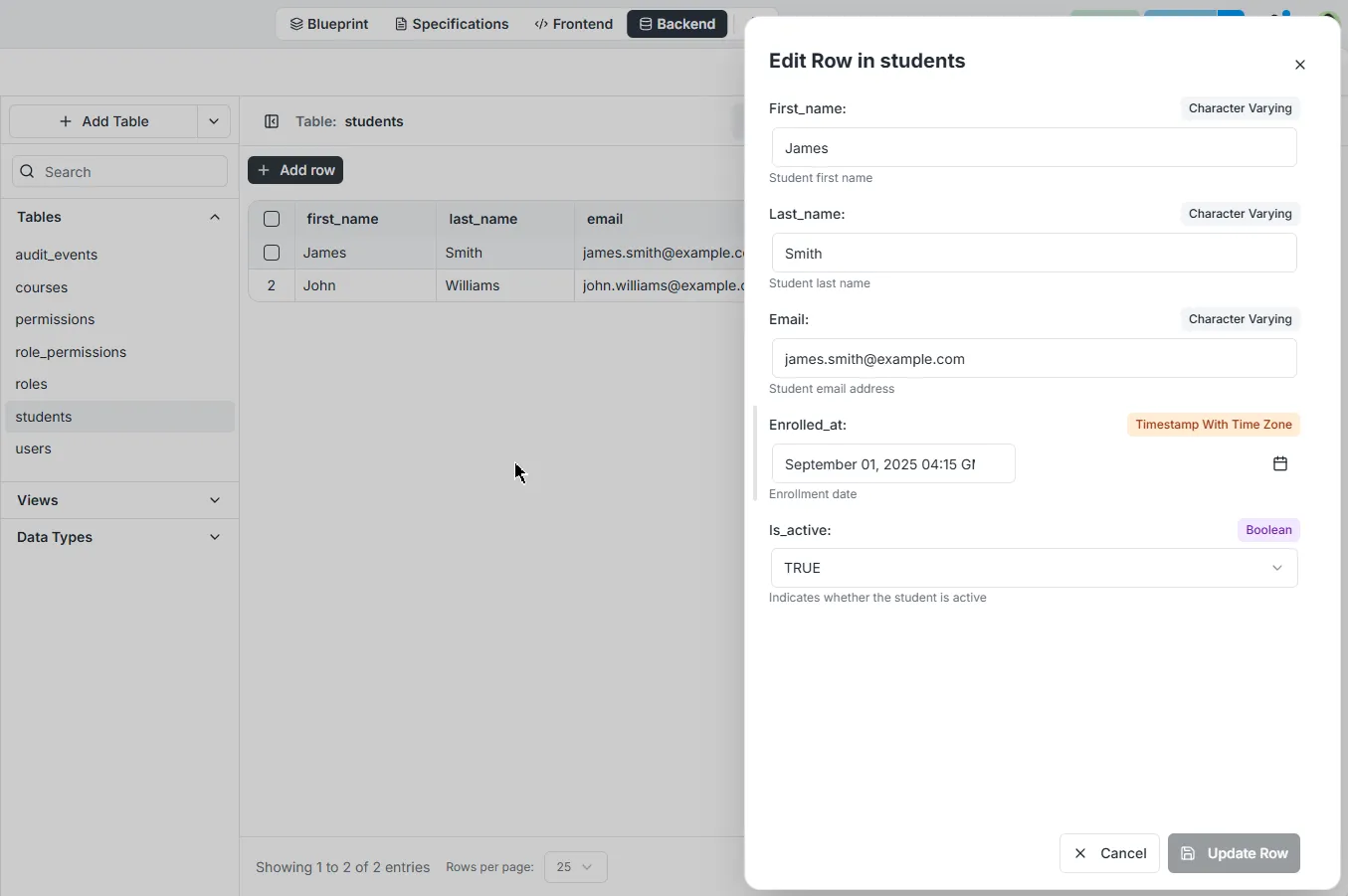 3. Update the fields and click Update Row.
Deleting Records
Section titled “Deleting Records”To delete records:
- Right-click the record you want to delete.
- Click Delete Row
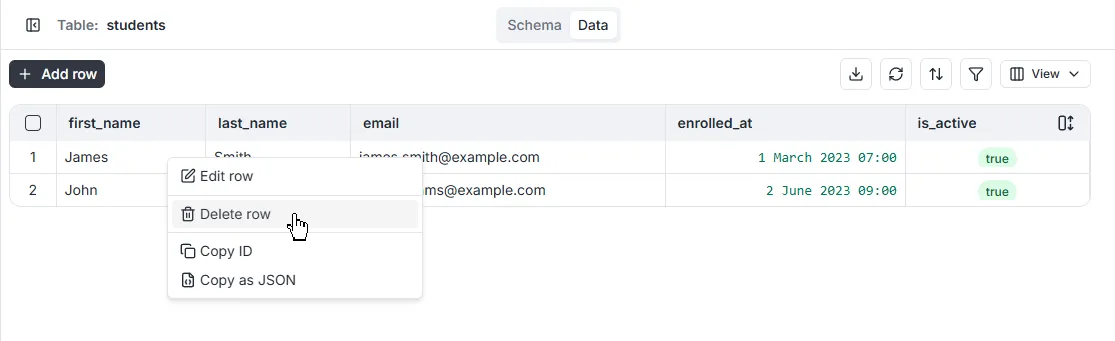
Danger: This action cannot be undone.
Filtering Records
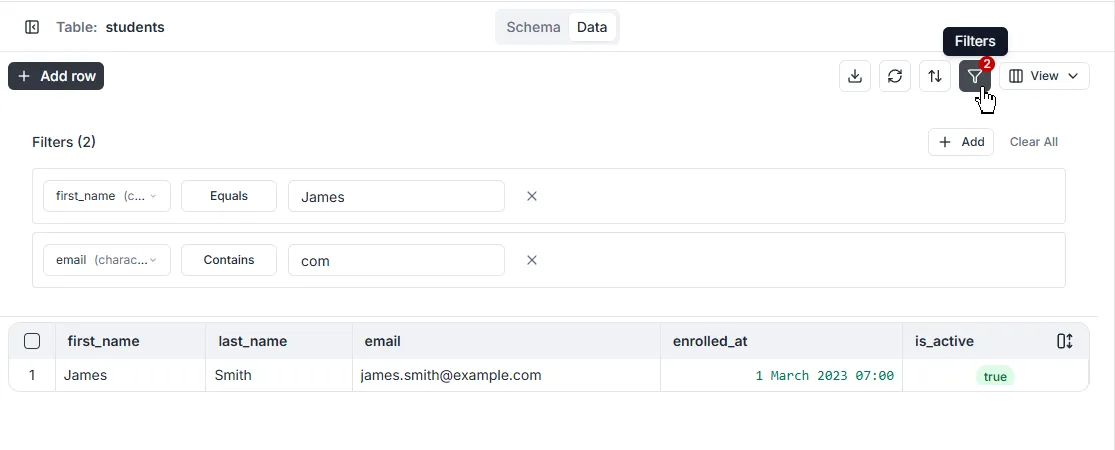
Section titled “Filtering Records”You can apply filters to reduce the number of records displayed. Multiple filters can be added and used together.
Sorting Records
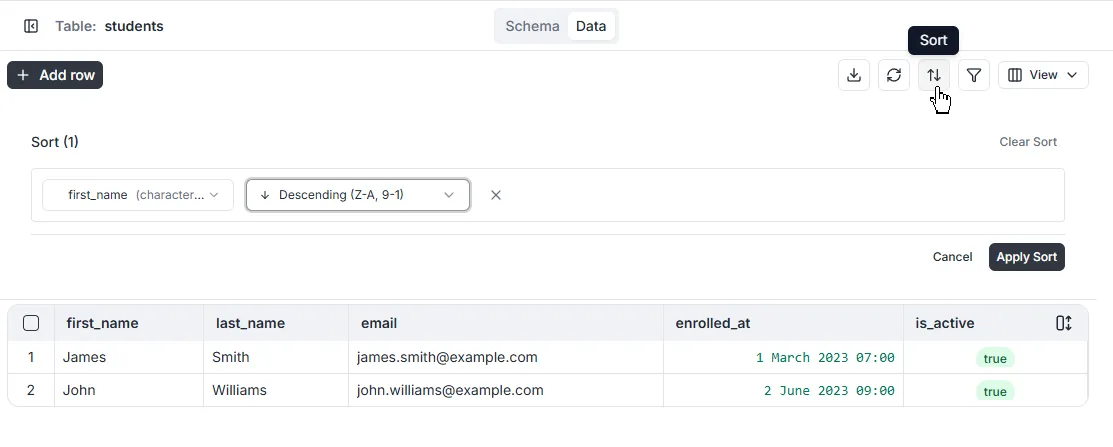
Section titled “Sorting Records”Data records can be sorted using one or more attributes. Sort attributes are ranked in the order in which they were created. Additionally, filters can be applied to reduce the number of records displayed.
Selected Fields
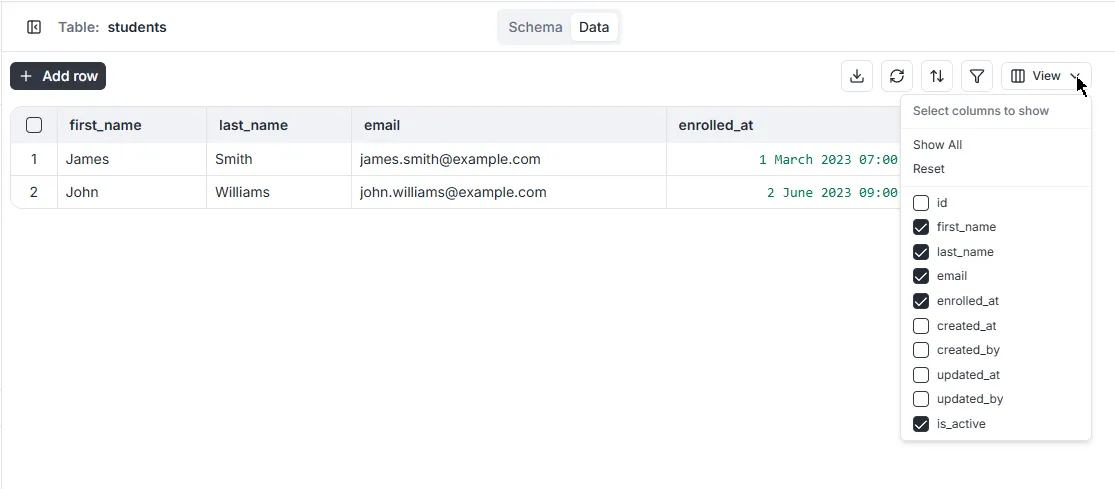
Section titled “Selected Fields”You can customize which field columns display in the Data Viewer. Click on the [View] toggle on/off desired fields. You can also choose to show all or reset.
Note: By default, the
id,created_at,created_by,updated_atandupdated_byfield columns are hidden in the Data Viewer.
Advanced Sorting and Filtering
Section titled “Advanced Sorting and Filtering”The Data Viewer’s filtering and sorting UI does not support filtering based on related tables.
You can use the API Explorer and SQL Playground for advanced table filtering and sorting.