Data Types
The Data Types section allows you to define custom, reusable data structures—primarily Enumerations (Enums)—that can be used across your entire data model.
Instead of defining the same list of options (like “Draft”, “Pending”, “Published”) repeatedly for every table that needs them, you can create a single Data Type and reference it wherever needed.
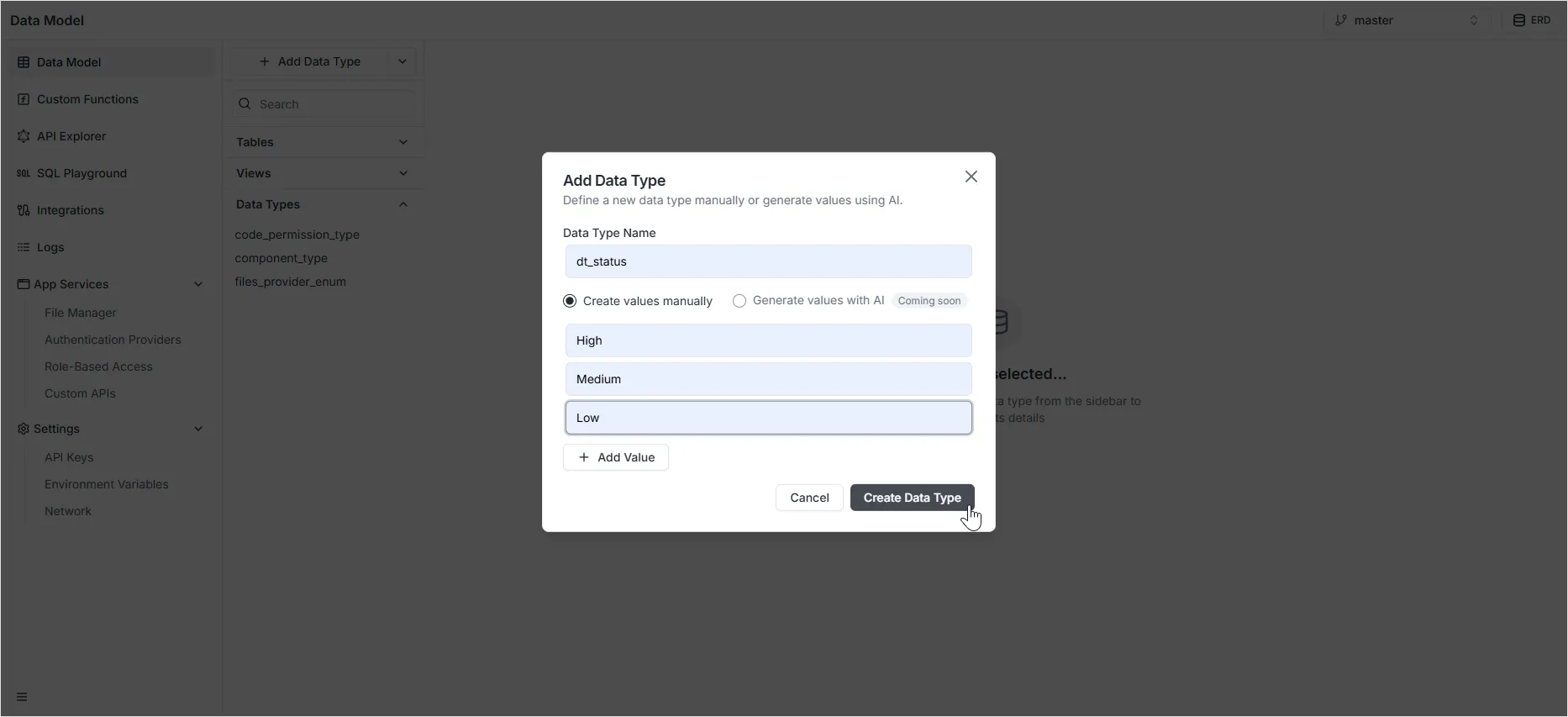
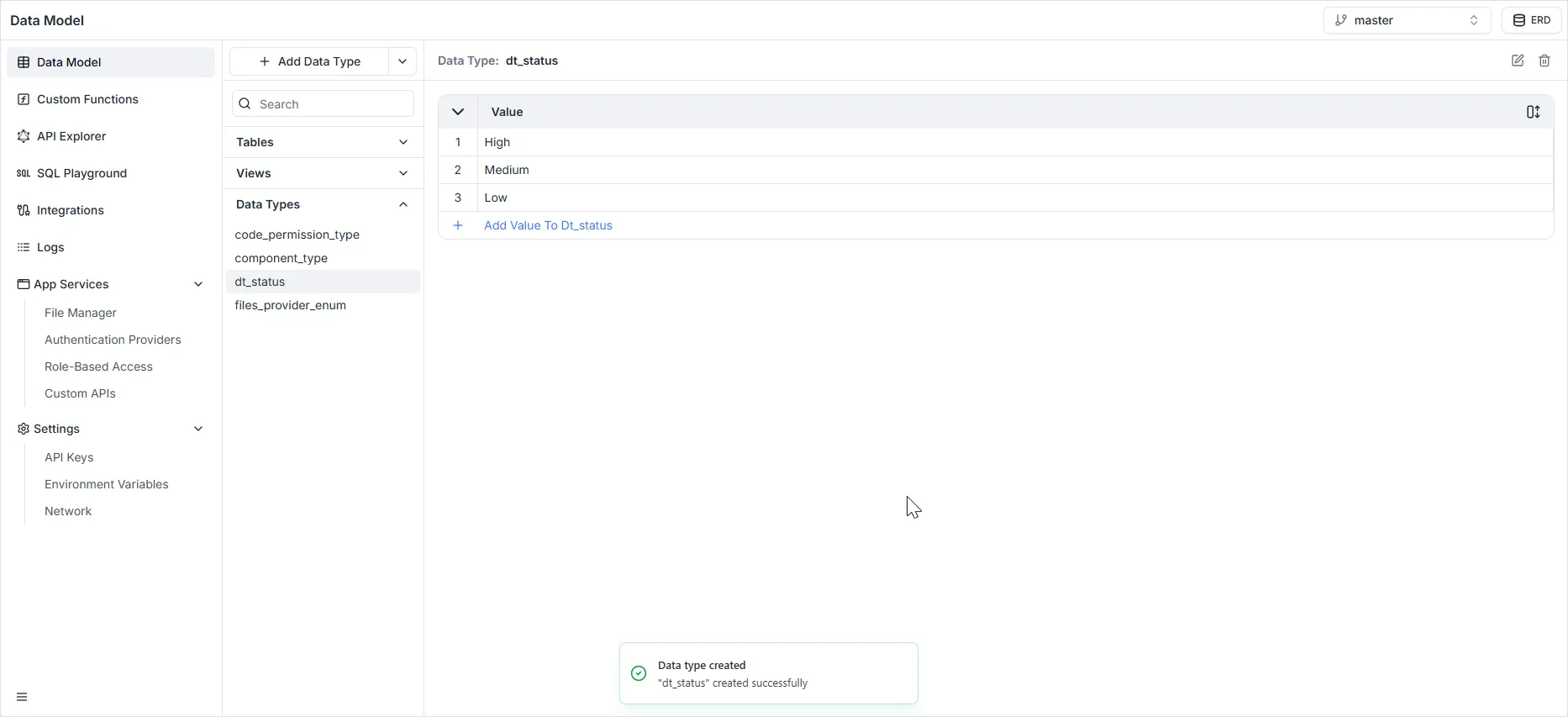
Creating a Data Type
Section titled “Creating a Data Type”To create a new custom data type:
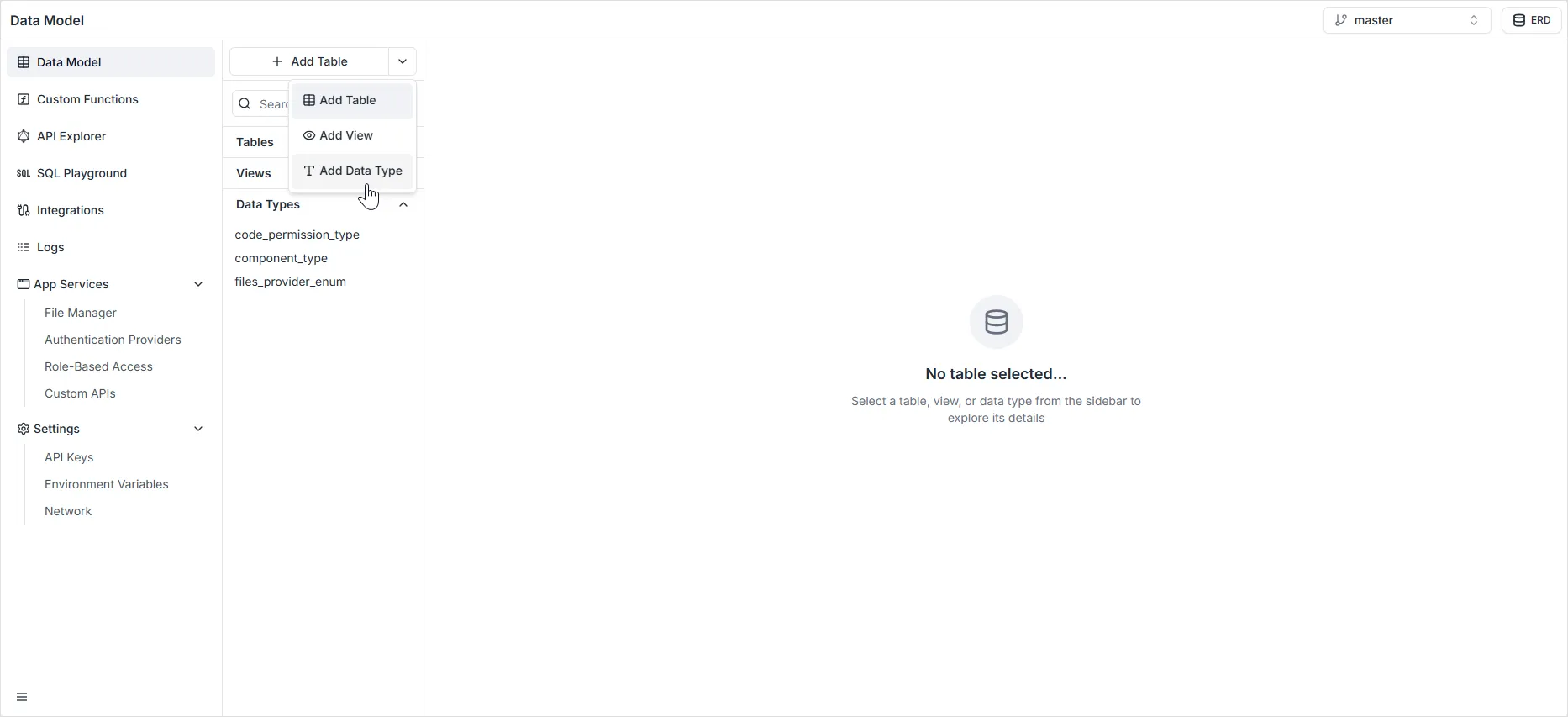
- In the Data Model sidebar, locate the + Add Table button.
- Click the dropdown arrow next to it.
- Select
Add Data Type.
Common Use Cases
Section titled “Common Use Cases”As seen in the sidebar examples (e.g., attendance_status_enum, grade_type_enum), Data Types are ideal for standardizing business logic across the application.
- Standardization: Ensure that a “Status” field has the exact same options in the
Studentstable as it does in theApplicationstable. - Maintenance: If you need to add a new status option (e.g., changing “Archived” to “Deleted”), you update it once in the Data Type definition, and it automatically applies to all tables using that type.
Examples
Section titled “Examples”| Data Type Name | Potential Values |
|---|---|
| course_status_enum | OPEN, CLOSED, IN_PROGRESS, CANCELLED |
| grade_type_enum | A, B, C, D, F, INCOMPLETE |
| resource_type_enum | VIDEO, PDF, QUIZ, ASSIGNMENT |