Data Builder
The Archie Core Data Builder is a data modeling interface for defining database tables, field types, and relationships between tables.
To open the Data Builder, click Data Model in the sidebar, select the table you want to work on, and then click the Schema tab.
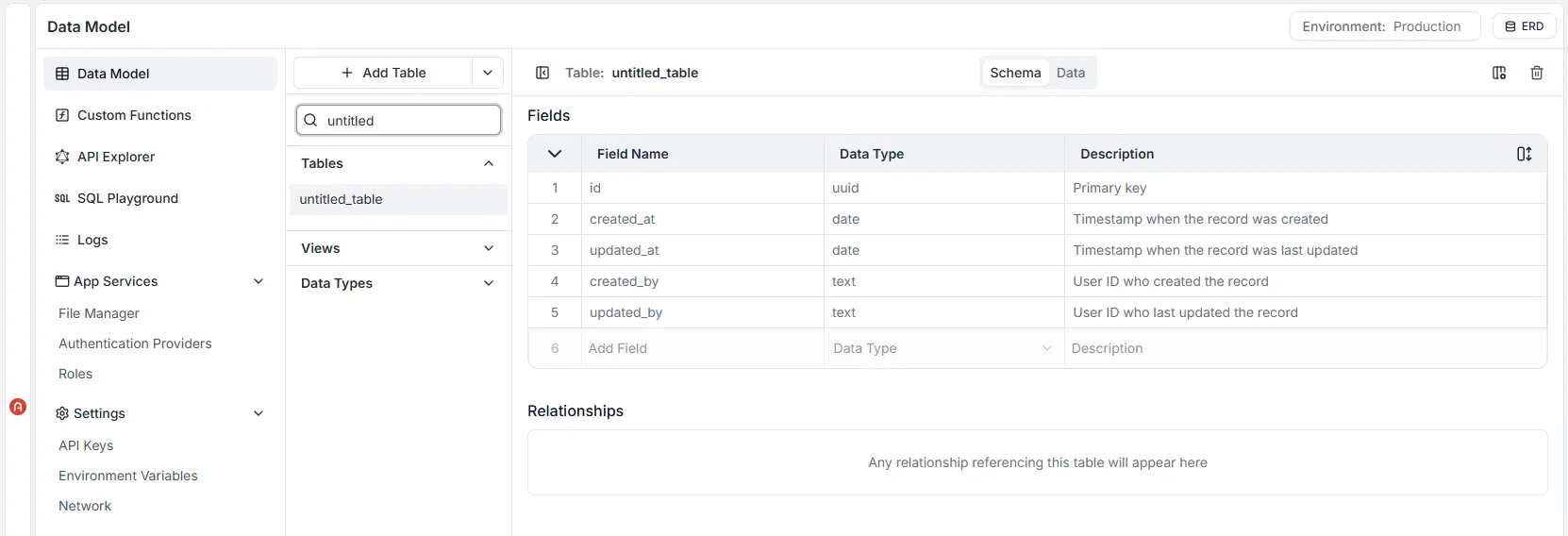
For each table defined, the Archie Core GraphQL engine creates GraphQL schema object types and the corresponding query, mutation, and subscription fields with resolvers automatically.
This means that all Create, Read, Update, and Delete (CRUD) actions, as well as real-time connections (websockets) are immediately available to use via the workspace’s unique API endpoint.
Working with Tables
Section titled “Working with Tables”In the background, Archie Core provisions a dedicated PostgreSQL database instance for your workspace. PostgreSQL is an advanced open-source object-relational database known for its reliability and data integrity. It efficiently handles complex queries and fully supports ACID (Atomicity, Consistency, Isolation, Durability) compliance.
Creating Tables
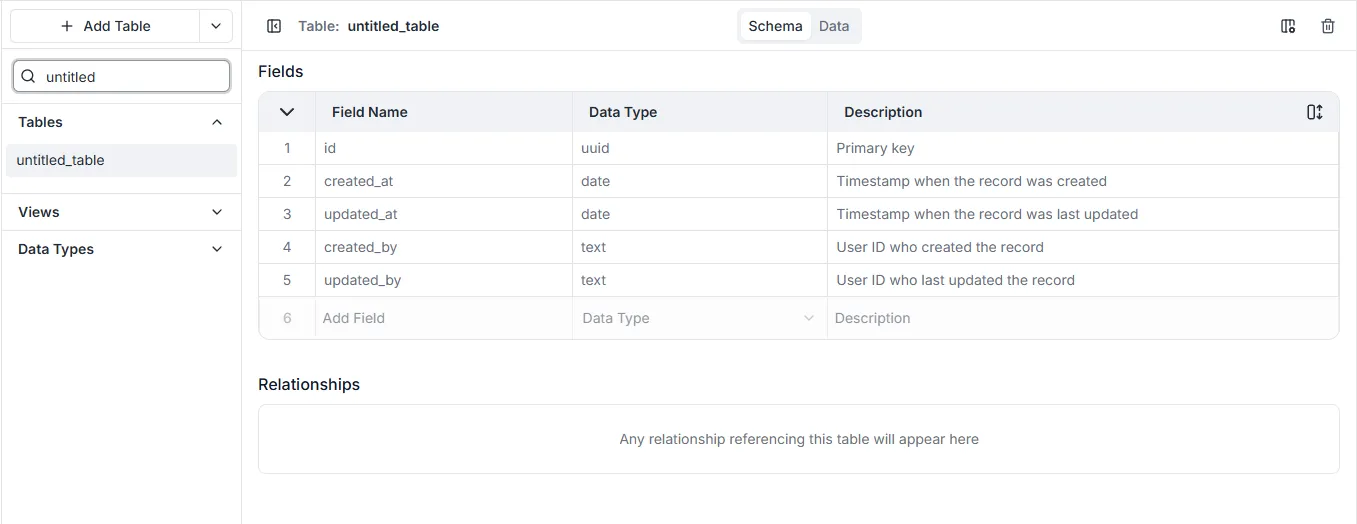
Section titled “Creating Tables”Click the + Add Table button to create a new table. The default name for new tables is “untitled_table”. All tables require unique names (attribute, workspace names and their plural form are reserved and cannot be used in any letter cases).
As soon as a table is created, corresponding GraphQL schema types and query, mutation, and subscription resolvers will be generated automatically.
Updating Tables
Section titled “Updating Tables”After a table is created, fields and relations can be defined. All updates to a table are published in real-time, giving a seamless experience between defining a data model and having it be highly available.
As soon as a table is updated, its corresponding GraphQL schema types and query, mutation, and subscription resolvers will be updated automatically.
To ensure that table related errors and mistakes are minimized, Archie Core protects against many harmful actions. Some of these include:
- A prompt that requires a Default Value will appear when changing a non-mandatory field to mandatory.
- Date, Number, and Text field values are automatically converted when an existing field type is updated.
- When changing a non-unique field to unique, current records are validated for having unique values.
Deleting Tables
Section titled “Deleting Tables”To delete a table:
- Go to the table name and click
... - Click Delete this Table.
- A confirmation dialog opens. Type in the table name and click Delete.
Danger: Deleted tables cannot be restored and any existing table records will be lost. Additionally, if there are tables that are related to the table being deleted - belongs to and has many, either specified as mandatory or not - those relations will be severed.
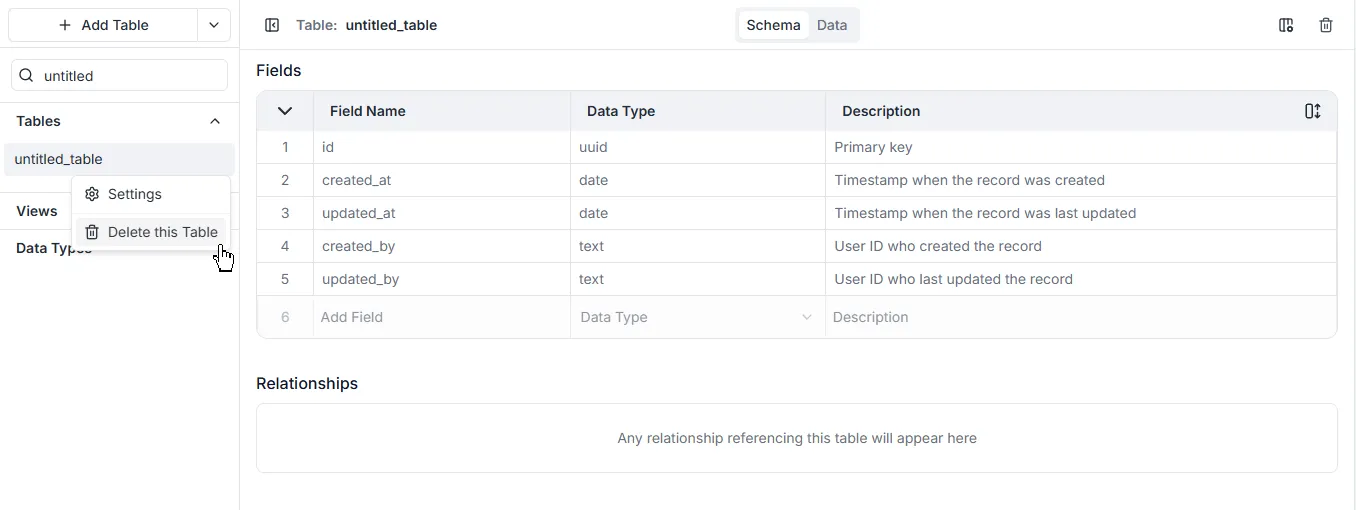
Table Relationships
Section titled “Table Relationships”Archie Core supports three types of table relationships to be defined that are congruent with what to expect from relational databases:
| Type | A to B | B to A |
|---|---|---|
| one-to-one | Records in table A may have_one or belong_to records in table B. | Records in table B may have_one or belong_to records in table A. |
| one-to-many | Record in table A may have_many records in table B. | Records in table B may have_one or belong_to records in table A. |
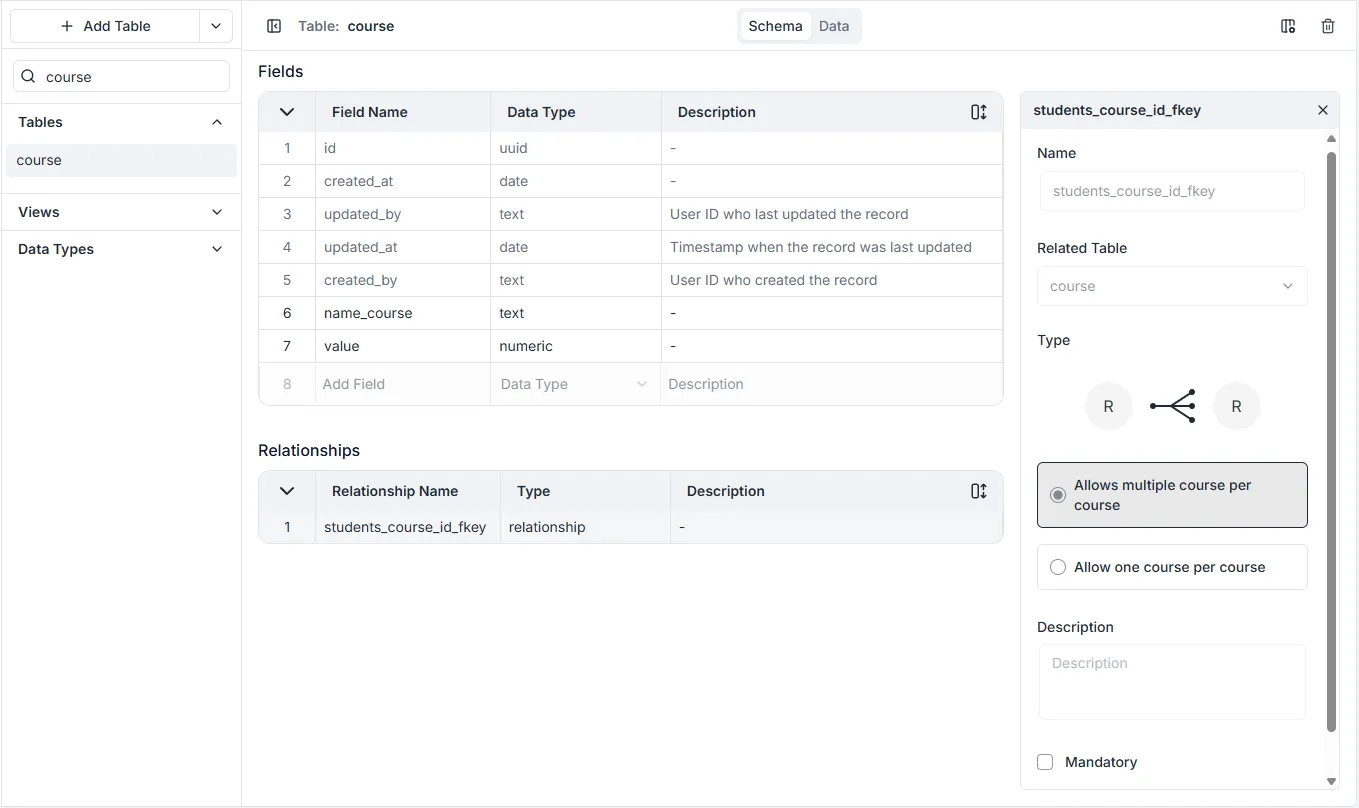
Defining a relationship between two tables can be accomplished by dragging and dropping one table onto another or by selecting Table as the Data Type when creating a new table field.
Table Configurations
Section titled “Table Configurations”For specifying has many, has one and belongs to relationships between tables.
Configurations
- Name: For selecting what table is to be related.
- Related Table: The name of the relation as it appears on the corresponding table.
- Type: Whether the relationship is has one or has many.
- Description: An optional text box where you can write information about the field.
- Mandatory: Whether the field relationship is required.
Table Types
Section titled “Table Types”There are three table types: Custom, View and Data Type.
Custom Tables
Section titled “Custom Tables”Custom tables are the tables created in any workspace by an administrator. They are fully customizable.
View Tables
Section titled “View Tables”View Tables are virtual tables that aggregate fields from several tables into a single view. Under the hood, they are based on the result-set of an SQL statement. In a workspace, they can be created using the viewCreate GraphQL mutation in the API Explorer.
Data Type
Section titled “Data Type”Types allow you to define a static, ordered set of mutually exclusive values. Unlike standard text fields, an Enum restricts the data entry to a specific list of pre-defined constants.
Common examples include status indicators (e.g., DRAFT, PUBLISHED, ARCHIVED), user roles, or category labels.
Utility and Benefits
Section titled “Utility and Benefits”Using Enums in your database schema provides several key advantages:
- Data Integrity: Enums enforce strict data validation at the database level. Since the field only accepts values from the defined list, it eliminates errors caused by typos or inconsistent naming conventions (e.g., preventing a mix of “High”, “high”, and “Hi” for a priority field).
- Code Consistency: They provide a single source of truth for allowable values, making the application logic more predictable and easier to maintain.
- Readability: Enums make data self-descriptive. A value like
PAYMENT_FAILEDis much more meaningful to developers and analysts than an arbitrary numerical code likeerror_code: 3. - Performance: In PostgreSQL, Enums are stored efficiently under the hood but presented as readable strings, offering a balance between performance and human readability.