Roles (RBAC)
The Roles section allows you to implement Role-Based Access Control (RBAC) for your application. By defining roles, you can grant or restrict access to specific resources, API endpoints, and data tables based on a user’s assigned group (e.g., “Admin”, “Editor”, “Viewer”).
To access this section, navigate to App Services > Roles in the left-hand sidebar.
Note: Roles are scoped per environment. Each environment has its own database containing its own roles table. When you switch environments, the roles list reflects the roles defined in that environment’s database.
Managing Roles
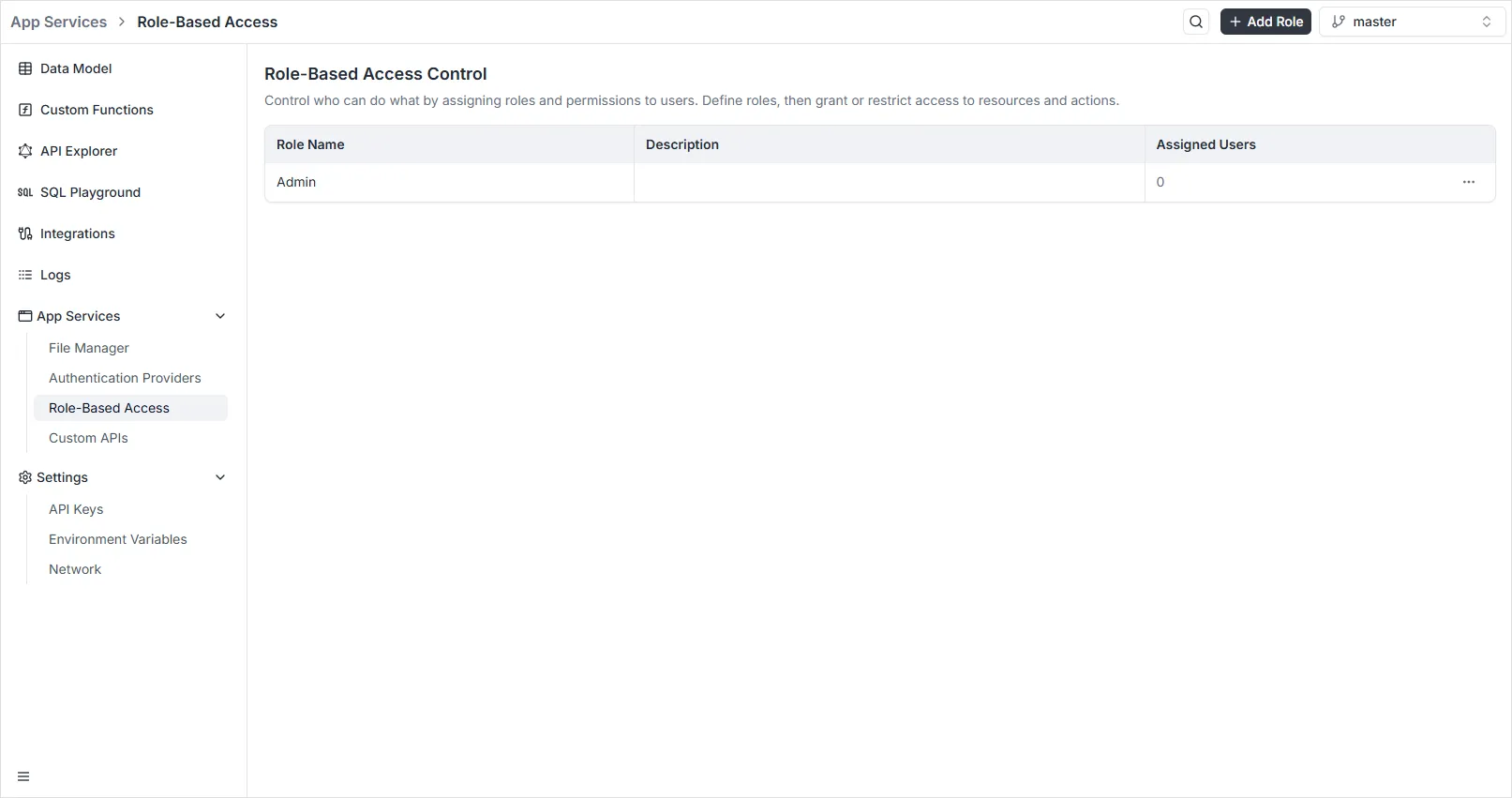
Section titled “Managing Roles”The main dashboard displays a list of all defined roles in your workspace, showing the Name, Description, and the count of Assigned Users for each.
You can use the Search Roles bar at the top to quickly find specific permissions groups.
Creating a New Role
Section titled “Creating a New Role”To define a new permission set:
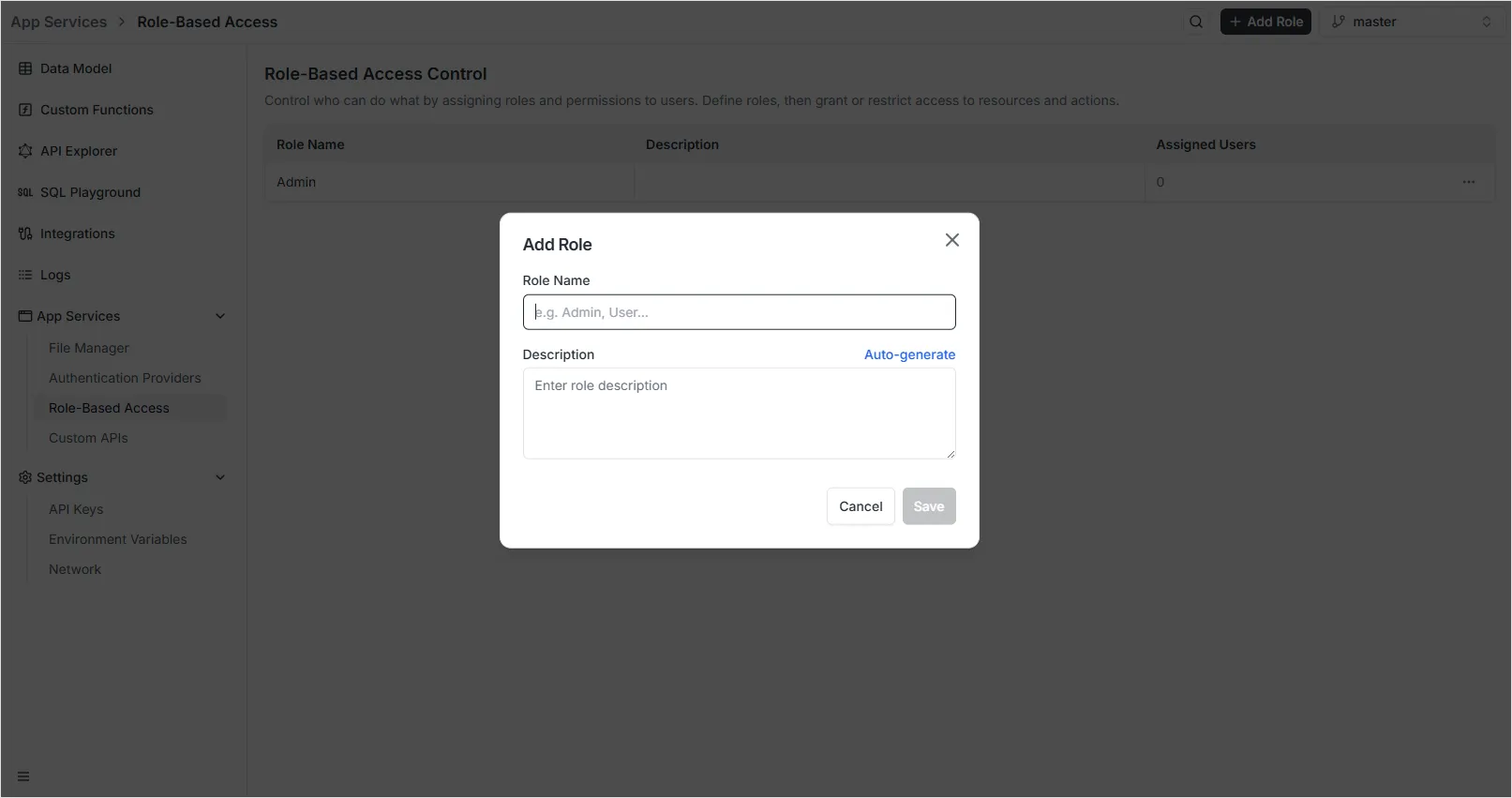
- Click the black + Add Role button in the top right corner of the dashboard.
- A configuration modal will appear with the following fields:
- Role Name: Enter a unique identifier for the role (e.g.,
Admin,User,Content_Manager). - Description: Provide a brief explanation of what permissions this role entails.
- Auto-generate: You can click the Auto-generate link to have the system propose a description for you based on the role name.
- Role Name: Enter a unique identifier for the role (e.g.,
- Click Save to create the role.
Manage permissions
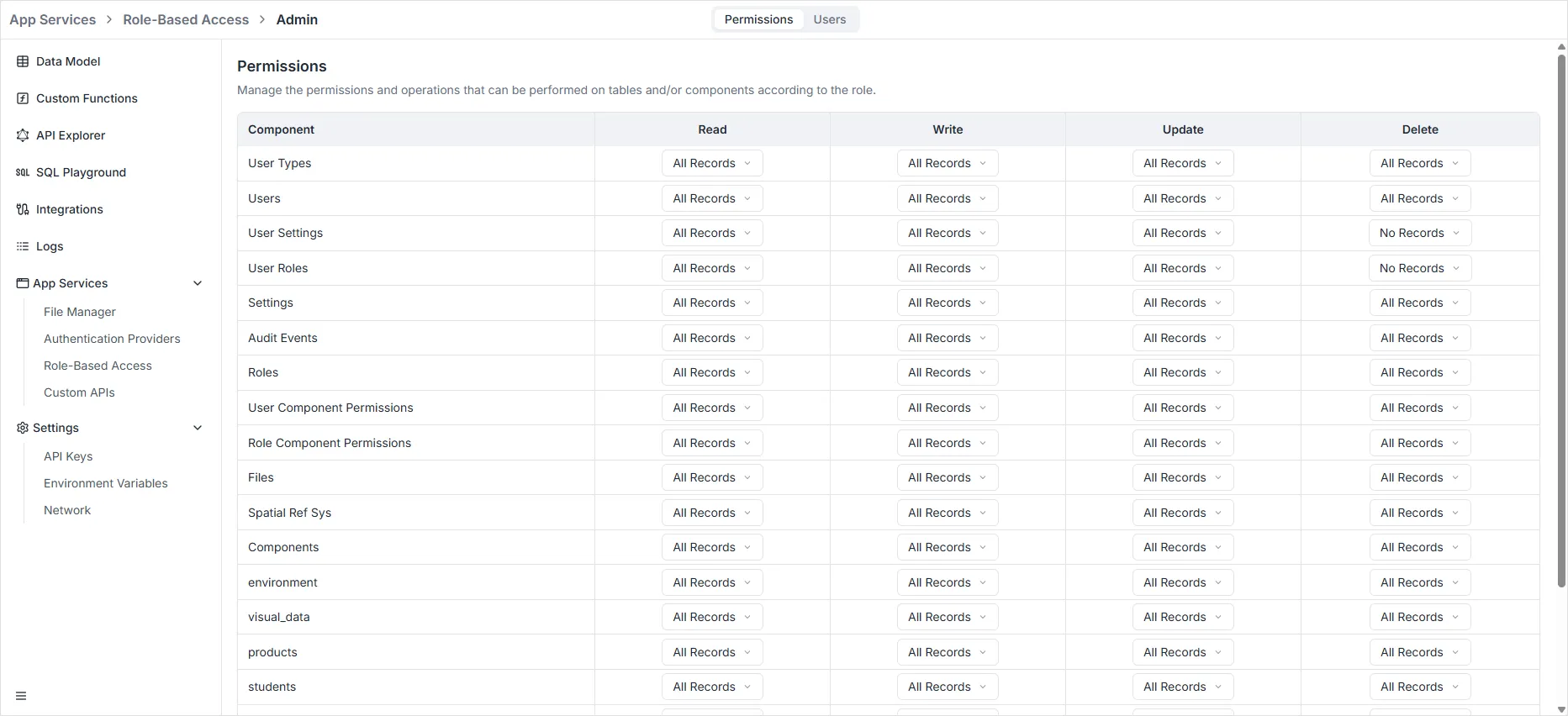
Section titled “Manage permissions”After creating a role, you can define its specific permissions across different areas of the platform. Click on a role from the main dashboard to access its permissions grid.
Permission Matrix
Section titled “Permission Matrix”For each resource within a scope, you can toggle the following operations:
- Read: Ability to view existing data or configurations.
- Write: Ability to add new records or resources.
- Update: Ability to modify existing records.
- Delete: Ability to remove records or resources.
Row-Level Filtering
Section titled “Row-Level Filtering”The Filter column allows you to define complex conditions for row-level security. This ensures that users with the same role can only access specific data subsets (e.g., an “Employee” role that can only read records where owner_id matches their user ID).