Authentication Providers
The Authentication Providers section allows you to secure your application by configuring various login methods and identity services. You can manage how users sign up, log in, and validate their sessions.
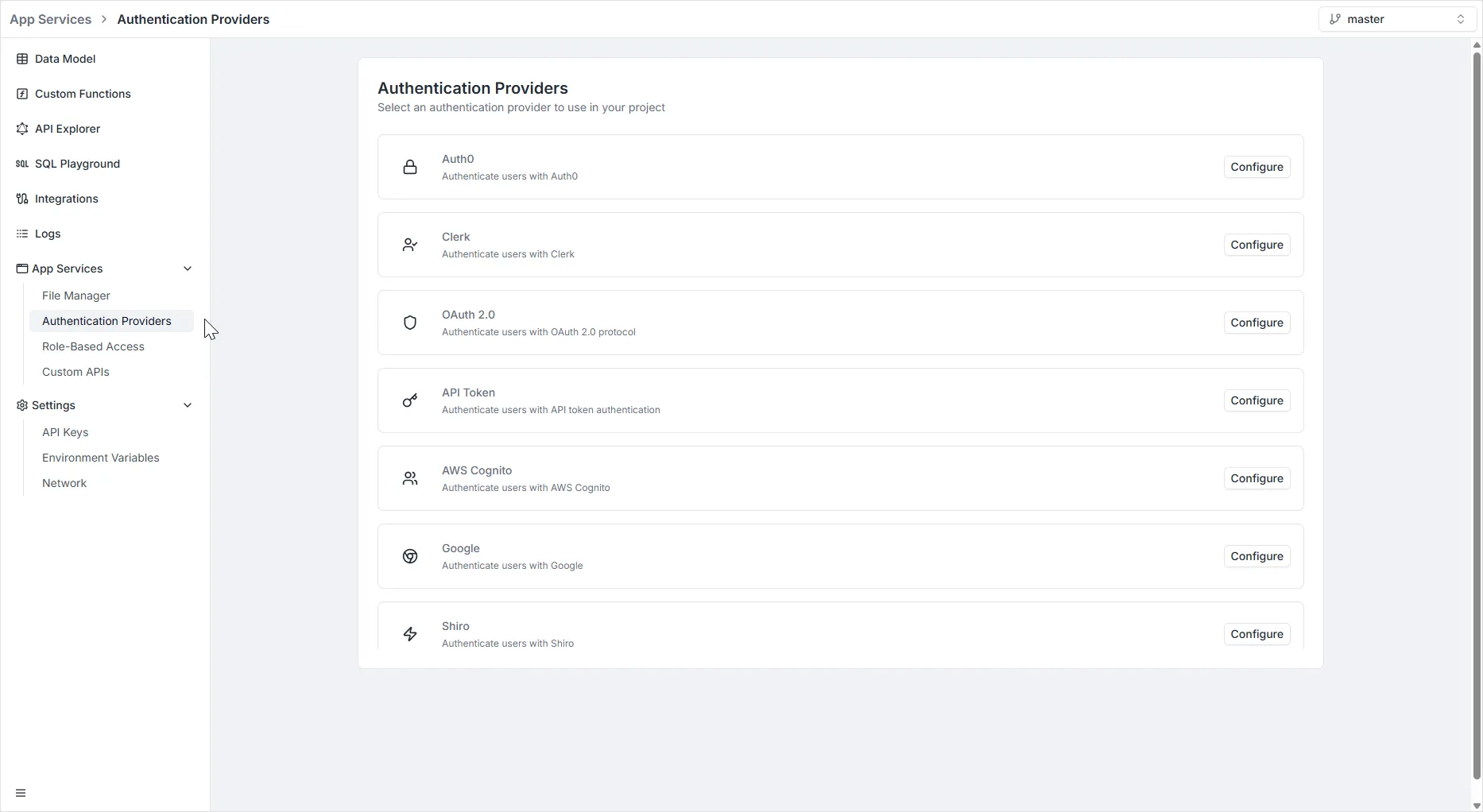
To access this section, navigate to App Services > Authentication Providers in the left-hand sidebar.
Note: Authentication providers are scoped per environment. Each environment maintains its own set of configured providers. For security reasons, authentication provider configurations are not copied when branching a new environment — OAuth secrets and identity credentials should be configured independently per environment.
Available Providers
Section titled “Available Providers”The platform currently supports the following authentication strategies:
- Auth0 (Managed Identity Platform)
- Clerk (User Management & Authentication)
- OAuth 2.0 (Generic Protocol)
- API Token (Custom Token Authentication)
- AWS Cognito (Amazon Identity Service)
- Google (Social Login)
- Shiro (Apache Shiro Framework)
Configuration Details
Section titled “Configuration Details”To set up a provider, click the Configure button next to the desired service. Below are the configuration requirements for the supported providers:
1. OAuth 2.0
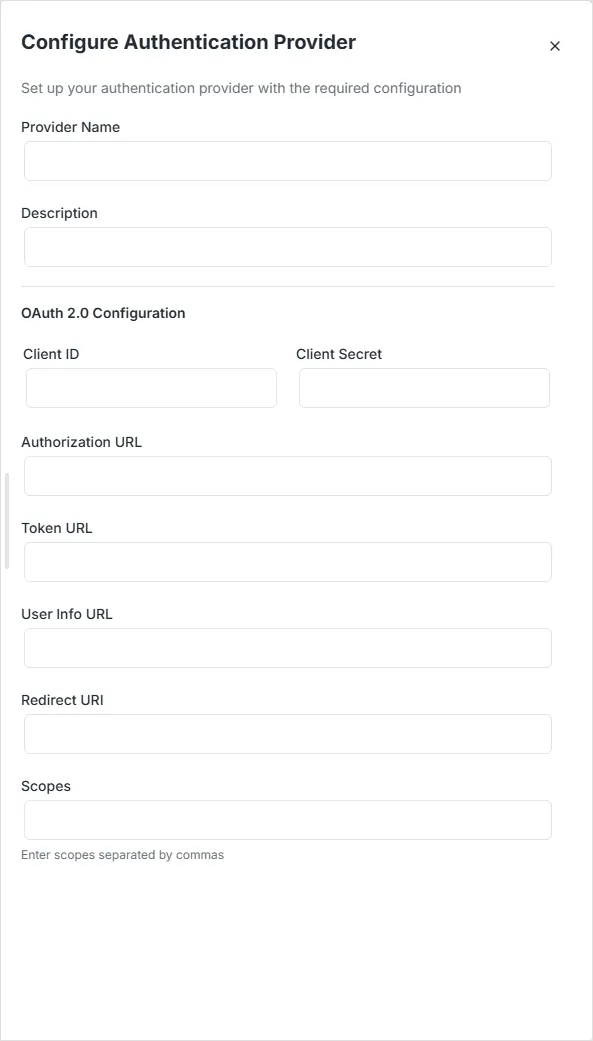
Section titled “1. OAuth 2.0”Use this option to connect any generic OAuth 2.0 compliant identity provider.
- Client ID & Client Secret: The credentials obtained from your external OAuth provider.
- Authorization URL: The endpoint where the user is redirected to log in.
- Token URL: The endpoint used to exchange the authorization code for an access token.
- User Info URL: The endpoint to fetch the user’s profile information.
- Redirect URI: The callback URL in your application where the user is returned after login.
- Scopes: Define the permissions requested (comma-separated).
2. API Token
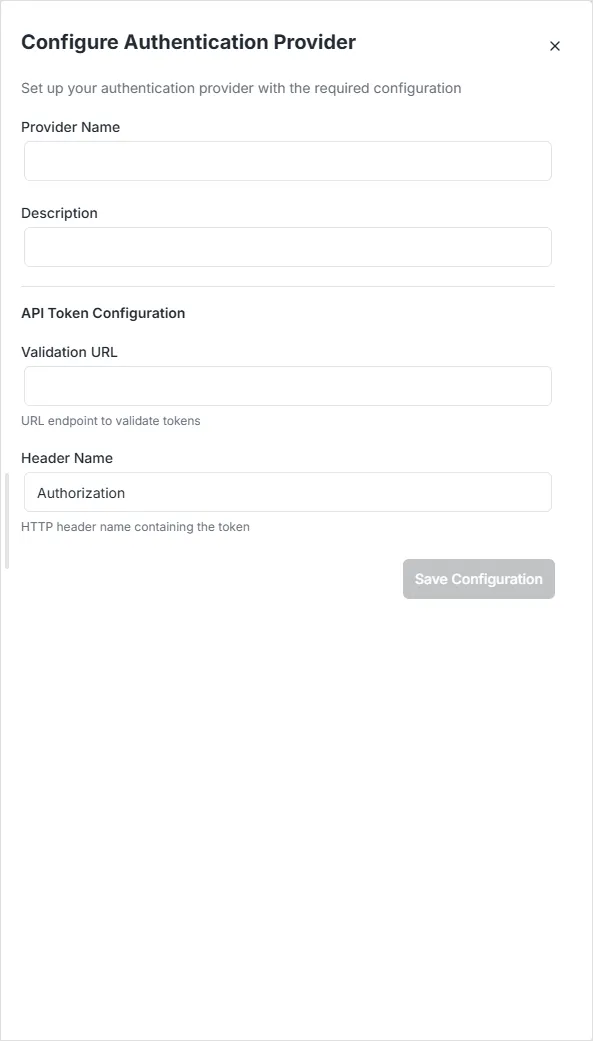
Section titled “2. API Token”Use this for server-to-server communication or custom authentication flows involving a validation endpoint.
- Validation URL: The external endpoint the system will call to verify the validity of the token provided.
- Header Name: The HTTP header key where the token is expected (Default is
Authorization).
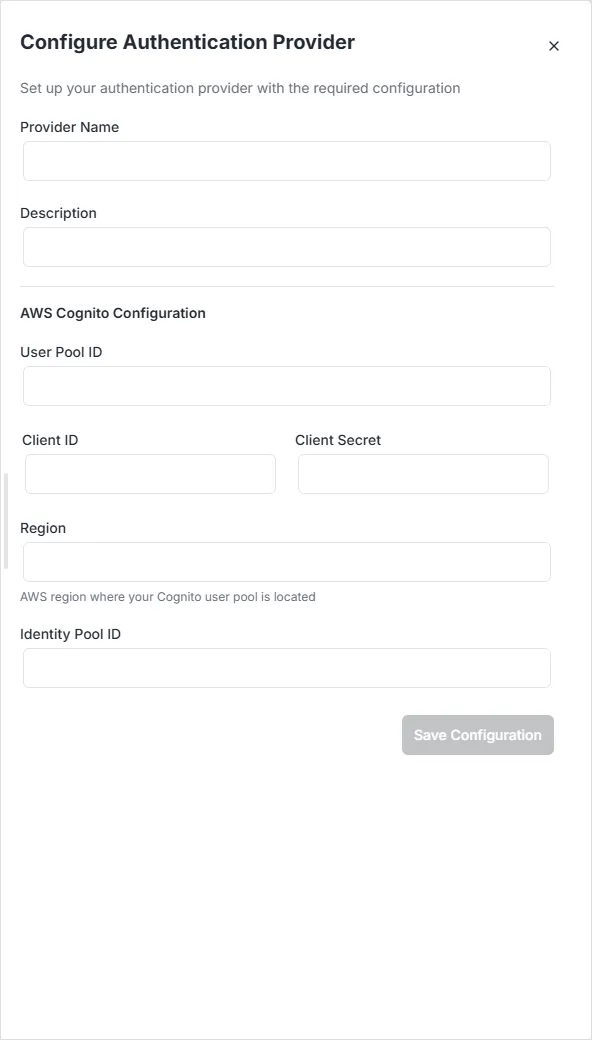
3. AWS Cognito
Section titled “3. AWS Cognito”Integrate directly with Amazon Cognito User Pools.
- User Pool ID: The ID of the Cognito User Pool where your users are stored.
- Client ID & Client Secret: The app client credentials generated in the AWS Console.
- Region: The AWS region where your User Pool is located (e.g.,
us-east-1). - Identity Pool ID: (Optional) Required if you are using AWS Federated Identities.
4. Google
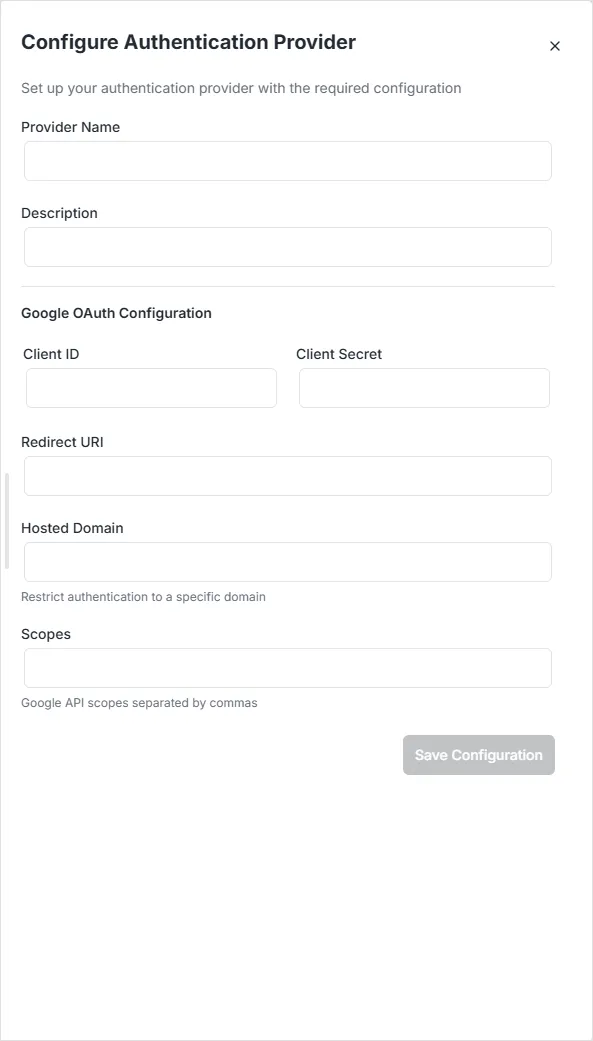
Section titled “4. Google”Enable social login using Google accounts.
- Client ID & Client Secret: Credentials generated from the Google Cloud Console (OAuth 2.0 Client IDs).
- Redirect URI: The callback URL for your application.
- Hosted Domain: (Optional) Restrict login to users from a specific Google Workspace domain (e.g.,
yourcompany.com). - Scopes: Permissions requested from the user’s Google account.
5. Apache Shiro
Section titled “5. Apache Shiro”Configure advanced enterprise authentication using the Apache Shiro security framework.
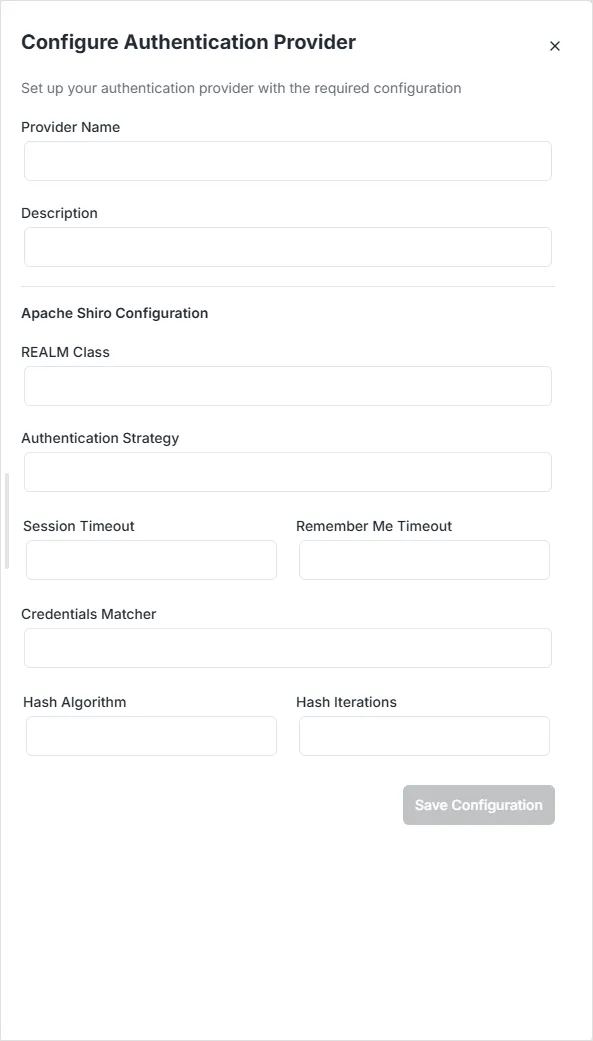
- REALM Class: The fully qualified class name of your custom Shiro Realm.
- Authentication Strategy: Defines how authentication attempts are verified.
- Session & Timeout: Configure
Session TimeoutandRemember Me Timeoutdurations. - Hashing: Define security parameters including
Credentials Matcher,Hash Algorithm(e.g., SHA-256), andHash Iterations.