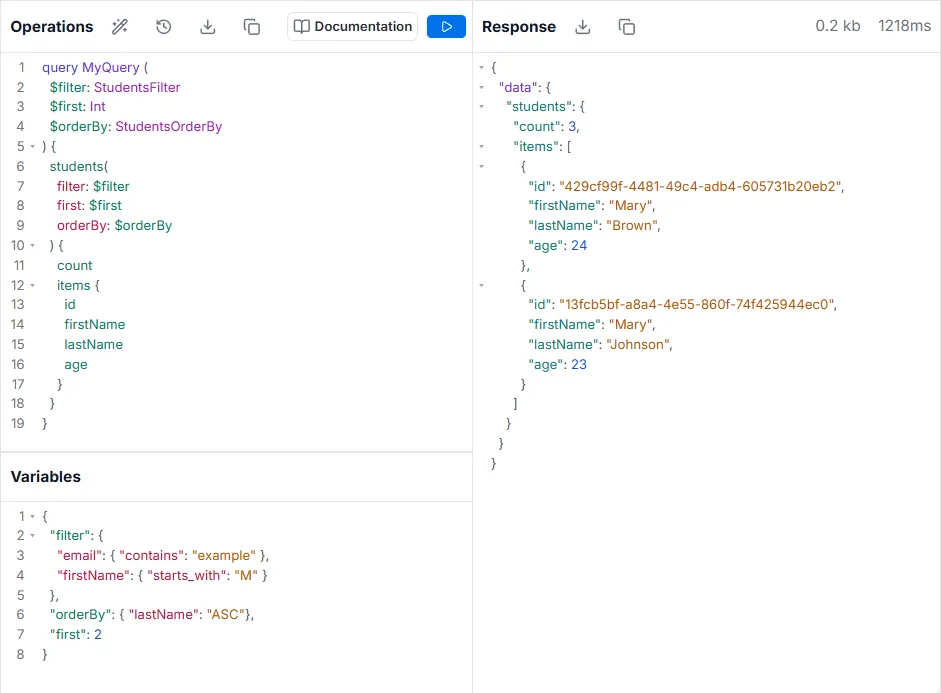
Variables
To avoid hardcoding all values when working with GraphQL, the API Explorer provides a Variables section in which a JSON object can be added. The top level keys of the JSON object are made available as variables that have names denoted by a dollar-sign ($KEY_NAME). This allows for a much more enjoyable development experience when writing and testing dynamic queries, mutations, and subscriptions.
GraphQL Mutation
Section titled “GraphQL Mutation”query MyQuery1 ($domain: String) { students( filter: { email: { contains: $domain } } ) { items { id firstName email } }}Variables
Section titled “Variables”{ "domain": "example.com"}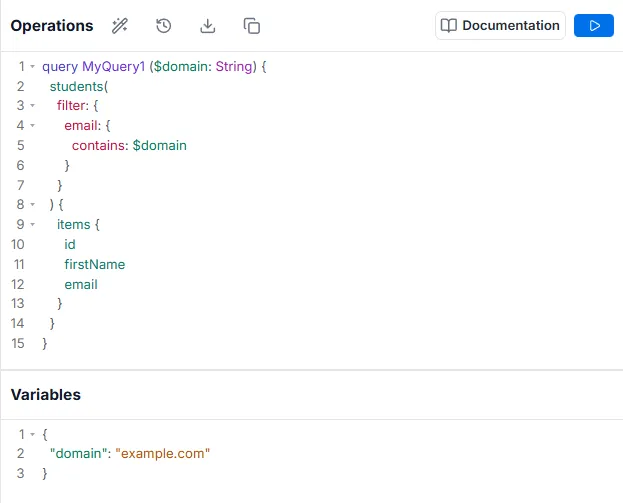
Declaring Variables
Section titled “Declaring Variables”Some dynamic inputs might need to be added when you submit a request to your GraphQL server, while keeping the operation document remains the same. These are your operation’s variables. Variables must be typed arguments that get declared on the GraphQL operation. Because GraphQL is typed statically, whether you’re passing in the correct variables can be validated for you.
The following two examples would work together to query a list of users with “Active” status and whose names start with “M”.
GraphQL Mutation
Section titled “GraphQL Mutation”query MyQuery1($name_start: String, $status: Boolean) { students( filter: { firstName: { starts_with: $name_start }, isActive: { equals: $status } } ) { items { id firstName email } }}Variables
Section titled “Variables”{ "name_start": "M", "status": true}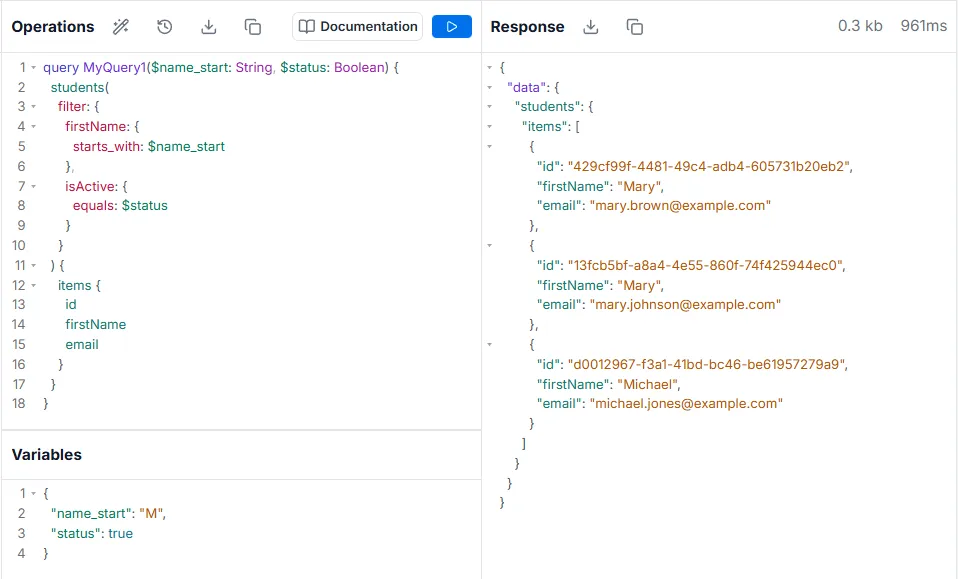
Declaring Typed Variables
Section titled “Declaring Typed Variables”Variables are not limited to being single input values. They can be complex objects with any declared type in a given workspace - native or custom. This allows for things like entire filters, sorts, and many others to get passed dynamically as variables.
GraphQL Mutation
Section titled “GraphQL Mutation”query MyQuery ( $filter: StudentsFilter $first: Int $orderBy: StudentsOrderBy) { students( filter: $filter first: $first orderBy: $orderBy ) { count items { id firstName lastName age } }}Variables
Section titled “Variables”{ "filter": { "email": { "contains": "example" }, "firstName": { "starts_with": "M" } }, "orderBy": { "lastName": "ASC"}, "first": 2}